Gree offers diverse cooling solutions‚ from portable units like the GPA06AK to mini-splits‚ and packaged terminal ACs. Understanding your Gree
air conditioner’s manual‚ including the model and serial number‚ is crucial for optimal performance and warranty claims.
What is Gree?
Gree Electric Appliances is a leading global manufacturer of air conditioners‚ HVAC systems‚ and smart home solutions. Originating as the Zhuhai Special Economic Zone Industrial Development Corporation in 1985‚ it evolved into Zhuhai Gree Group Co.‚ Ltd. in 2009. Today‚ Gree stands as a prominent force in the appliance industry‚ renowned for its innovative technology and extensive product range.
The company’s portfolio encompasses a wide array of cooling and heating products‚ including window units‚ portable air conditioners (like the GPA06AK)‚ duct-free mini-split systems (Livo and Sapphire series)‚ and packaged terminal air conditioners. Gree’s commitment extends beyond manufacturing; they provide comprehensive support‚ including a 24/7 customer service hotline (400-836-5315) and online repair services via their official website (www.gree.com.cn).
Gree’s History and Background
Gree’s journey began in March 1985 as the Zhuhai Special Economic Zone Industrial Development Corporation‚ initially focused on broader industrial development. The company underwent a significant transformation in 1991 with the establishment of Zhuhai Gree Electric Co.‚ Ltd.‚ marking its dedicated entry into the appliance market. A pivotal moment arrived in 2009 when it was restructured and rebranded as Zhuhai Gree Group Co.‚ Ltd.‚ with a registered capital of 800 million yuan.
Throughout its history‚ Gree has consistently prioritized technological innovation and product quality. This dedication has propelled it to become a leading air conditioner manufacturer in China and a globally recognized brand. The company’s evolution reflects a commitment to adapting to market demands and expanding its product offerings‚ now encompassing a diverse range of HVAC solutions‚ including mini-splits and packaged units‚ alongside traditional air conditioning systems.
Types of Gree Air Conditioners Available
Gree provides a comprehensive range of air conditioning solutions to meet diverse needs. Their portfolio includes portable air conditioners‚ like the GPA06AK model‚ ideal for spot cooling where window units aren’t feasible. For more permanent installations‚ Gree offers packaged terminal air conditioners and heat pumps (GA Series)‚ ranging from 7‚000 to 15‚000 Btuh.
A significant focus lies on mini-split systems‚ specifically the Livo and Sapphire series‚ known for their efficiency and advanced features. These ductless systems offer cooling and heating capabilities‚ ranging from 9‚000 to 24‚000 Btuh. Gree also provides complete HVAC systems‚ catering to larger residential and commercial applications. Understanding the specific type of Gree unit you own is the first step in utilizing your owner’s manual effectively.

Understanding Your Gree Air Conditioner Manual
Gree manuals detail model-specific instructions‚ safety precautions‚ and troubleshooting. Locating the model and serial number is vital for support and warranty purposes.
Locating the Model and Serial Number
Finding your Gree air conditioner’s model and serial number is a critical first step when referencing the owner’s manual or contacting customer support. These identifiers are essential for accessing specific troubleshooting guides‚ warranty information‚ and replacement parts. Typically‚ this information is found on a label affixed to the unit itself.
For window and built-in units‚ carefully inspect the side panels or the back of the air conditioner. The label is often prominently displayed. For portable units‚ check the rear or bottom of the appliance. Mini-split systems may have the label on the indoor and outdoor units. The serial number‚ often starting with specific digits‚ uniquely identifies your appliance. Keep this information readily available‚ as Gree support requests it for all inquiries‚ including online repair submissions via their official website (www.gree.com.cn).
Decoding the Model Number
Gree air conditioner model numbers contain valuable information about the unit’s specifications and features. While a comprehensive decoding guide isn’t publicly available‚ understanding the basic structure can be helpful. For example‚ a model like GWH09AB-A3DNA2B/I reveals key details. The initial letters (GWH) typically indicate the product category – in this case‚ a wall-mounted air conditioner.
The following numbers (09) often represent the cooling capacity in thousands of BTUs (British Thermal Units)‚ suggesting a 9‚000 BTU unit. Subsequent letters and numbers denote specific features‚ voltage (115v)‚ and the unit’s generation or revision. Knowing this allows you to confirm you’re using the correct manual and accessing relevant support resources. Referencing Gree’s parts catalog‚ accessible through Rural Energy Enterprises or directly on their website‚ can further clarify specific component compatibility based on the model number.
Importance of Keeping the Manual
Retaining your Gree air conditioner’s manual is paramount for several reasons. It provides crucial information for safe operation‚ troubleshooting‚ and warranty claims. The manual details essential procedures like cleaning the air filter and coils‚ maximizing energy efficiency‚ and interpreting error codes. Without it‚ diagnosing issues or understanding advanced features like sleep mode or Wi-Fi connectivity becomes significantly harder.
Furthermore‚ the manual contains the model and serial number – vital data when contacting Gree support (400-836-5315) or submitting a warranty claim through their official website (www.gree.com.cn). Losing the physical copy isn’t a disaster; many manuals are available for download online. However‚ proactively keeping it readily accessible ensures you can quickly address any concerns and maintain your unit’s performance for years to come.
Basic Operation and Features
Gree ACs are easily controlled; power on/off‚ adjust temperature‚ and fan speed using the remote. Select cooling or heating modes for desired comfort levels.
Powering On and Off
Gree air conditioners typically power on and off using a remote control or‚ in some models‚ directly via buttons on the unit itself. To power on‚ locate the “Power” button – often depicted with a power symbol – on the remote and press it. The unit should respond with an indicator light and the fan initiating.
To power off‚ simply press the “Power” button again. Some Gree models may have a slight delay before completely shutting down‚ allowing for a cool-down cycle. Ensure the unit is fully powered off when not in use to conserve energy and prolong its lifespan. Always disconnect the power cord during extended periods of inactivity or before performing any maintenance. Refer to your specific model’s manual for detailed instructions‚ as button placement and functionality can vary.
Setting the Temperature
Gree air conditioners allow precise temperature control via the remote control. Use the “Temp Up” and “Temp Down” buttons – often indicated with arrows – to adjust the desired room temperature. The current set temperature will be displayed on the unit’s front panel.
Most Gree models operate in both Celsius and Fahrenheit; consult your manual to switch between units. A comfortable temperature range typically falls between 22-26°C (72-79°F). Avoid setting the temperature excessively low‚ as this can lead to energy waste and potential discomfort. Remember that the set temperature is the target temperature; the unit will work to reach and maintain it. For optimal efficiency‚ allow the unit sufficient time to cool or heat the room gradually.
Fan Speed Control
Gree air conditioners offer multiple fan speed settings to customize airflow and comfort. Typically‚ you’ll find options like “Auto‚” “Low‚” “Medium‚” and “High‚” controlled via buttons on the remote. “Auto” mode adjusts fan speed based on the temperature difference between the setpoint and the room temperature.
Lower fan speeds are quieter and consume less energy‚ ideal for gentle cooling or maintaining a consistent temperature. Higher speeds provide faster cooling or heating‚ but generate more noise. Experiment with different settings to find the balance that suits your preferences. Some models feature a “Swing” function‚ which automatically oscillates the airflow for wider distribution. Refer to your specific model’s manual for detailed instructions on fan speed operation and any additional features.
Cooling and Heating Modes
Gree air conditioners often function as both coolers and heaters‚ offering versatile climate control. The “Cool” mode lowers the room temperature by extracting heat‚ while “Heat” mode provides warmth by generating heat. Switching between modes is usually done via a “Mode” button on the remote control.
Some models‚ like the GWH09AB-A3DNA2B/I heat pump‚ offer efficient heating solutions. Ensure the correct mode is selected for your desired outcome. The “Auto” mode intelligently switches between cooling and heating to maintain a set temperature. Pay attention to the displayed icons on the unit or remote to confirm the active mode. Always consult your owner’s manual for specific instructions related to your model’s cooling and heating capabilities and optimal settings.
Advanced Features and Settings
Gree ACs boast features like Sleep Mode‚ Timer settings‚ and Wi-Fi connectivity for smart control. Remote access and energy-saving options enhance user experience.
Sleep Mode Functionality
Gree air conditioners often include a Sleep Mode designed to optimize comfort during nighttime hours while promoting energy efficiency. This feature gently adjusts the temperature throughout the night‚ typically increasing it slightly in cooling mode or decreasing it in heating mode‚ to prevent discomfort from excessive cooling or heating while you sleep.
The Sleep Mode function isn’t explicitly detailed in the provided snippets‚ but it’s a common feature in modern air conditioners. Activation is usually done through the remote control‚ with a dedicated “Sleep” button. Some models allow customization of the temperature adjustment rate and the duration of the Sleep Mode operation. Utilizing Sleep Mode can contribute to a more restful sleep environment and reduced energy consumption compared to maintaining a constant temperature all night. Refer to your specific model’s manual for detailed instructions and customization options related to Sleep Mode.
Timer Settings
Gree air conditioners frequently feature timer settings‚ allowing users to schedule operation for increased convenience and energy savings. These timers enable you to set a specific time for the unit to automatically turn on or off‚ eliminating the need for manual adjustments. The provided information suggests remote control operation is key to accessing these features.
Typically‚ you can program both an “On” timer to start cooling or heating at a designated time and an “Off” timer to stop operation. Activation usually involves pressing a “Timer” button on the remote‚ followed by setting the desired time. Some models may offer multiple timer settings for different days or schedules. Utilizing timer settings allows you to pre-cool or pre-heat a room before you arrive‚ or to automatically turn off the unit when you’re asleep or away‚ optimizing comfort and reducing energy waste. Consult your specific model’s manual for detailed instructions.
Wi-Fi Connectivity and Smart Control
Many modern Gree air conditioners offer Wi-Fi connectivity‚ enabling remote control and smart home integration. To connect‚ typically you’ll need to download the Gree Smart App and follow the on-screen instructions. This often involves long-pressing the Wi-Fi button on the remote control for several seconds until the Wi-Fi indicator illuminates.
Once connected‚ you can control your air conditioner from anywhere with an internet connection using your smartphone or tablet. Features include adjusting the temperature‚ changing modes (cooling‚ heating‚ fan)‚ setting timers‚ and monitoring energy usage. Some models support voice control through compatible smart home assistants. The initial Wi-Fi password is often “12345678”‚ but it’s recommended to change it for security. Refer to your owner’s manual for specific pairing instructions and troubleshooting tips related to your model’s Wi-Fi capabilities.
Energy Saving Tips
Maximizing energy efficiency with your Gree air conditioner not only reduces your electricity bill but also minimizes environmental impact. Regularly cleaning the air filter is paramount‚ as a clogged filter forces the unit to work harder. Utilize the timer function to schedule operation only when needed‚ avoiding unnecessary cooling or heating of empty rooms.
Consider using the “Sleep Mode‚” which gradually adjusts the temperature overnight for comfortable and energy-efficient sleep. When possible‚ supplement air conditioning with fans to circulate air and improve cooling effectiveness. Ensure proper insulation in your home to prevent heat loss or gain. Avoid direct sunlight exposure by closing curtains or blinds during peak hours. Finally‚ consult your owner’s manual for specific energy-saving features available on your Gree model.

Maintenance and Troubleshooting
Gree air conditioner upkeep involves regular filter and coil cleaning. Addressing common issues and understanding error codes‚ detailed in your manual‚ ensures optimal performance and longevity.
Cleaning the Air Filter
Regular air filter cleaning is paramount for maintaining your Gree air conditioner’s efficiency and air quality. A clogged filter restricts airflow‚ forcing the unit to work harder‚ increasing energy consumption‚ and potentially leading to component failure. Your Gree owner’s manual will detail the specific filter location for your model‚ but generally‚ it’s accessible by opening the front panel.
Typically‚ filters should be cleaned every two weeks or monthly‚ depending on usage and environmental conditions. Remove the filter and vacuum it gently to remove dust and debris. For more thorough cleaning‚ wash the filter with mild soap and water‚ ensuring it’s completely dry before reinstalling it. Never operate the air conditioner without a filter‚ as this can damage the unit and compromise air quality. Refer to your manual for specific filter type instructions – some may be washable‚ while others require replacement.
Cleaning the Coils
Maintaining clean condenser and evaporator coils is vital for optimal Gree air conditioner performance. Dirty coils reduce the unit’s ability to transfer heat‚ leading to decreased cooling efficiency and increased energy bills. Consult your Gree owner’s manual for specific coil access instructions‚ as procedures vary by model.
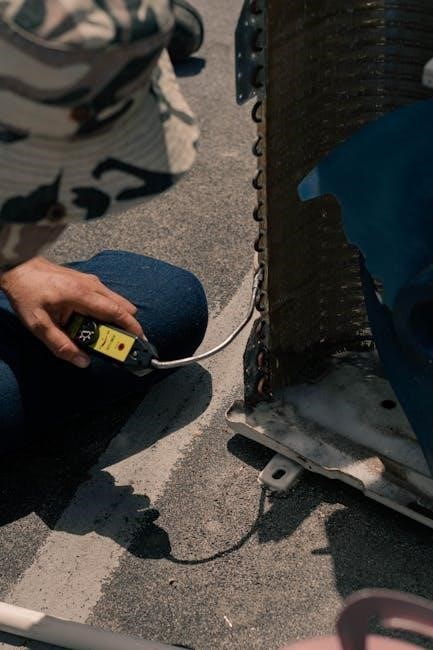
Before cleaning‚ always disconnect the power supply to the unit. Use a soft brush attachment on a vacuum cleaner to gently remove dust and debris from the coils. For stubborn dirt‚ a coil cleaner specifically designed for air conditioners can be used‚ following the product’s instructions carefully. Avoid bending the fins‚ as this restricts airflow. Rinse the coils with water (low pressure) if a cleaner is used‚ and ensure they are completely dry before restoring power. Professional cleaning is recommended annually for thorough maintenance.
Troubleshooting Common Issues
If your Gree air conditioner isn’t cooling effectively‚ first check the air filter – a clogged filter is a frequent culprit. Ensure the unit isn’t set to “Fan Only” mode and that the thermostat is set to a cooling temperature. Verify proper ventilation; blocked vents restrict airflow.
If the unit isn’t turning on‚ check the power supply and circuit breaker. Consult the error code section of your Gree owner’s manual; these codes provide valuable diagnostic information. For issues like ice buildup‚ turn off the unit and allow it to defrost. If problems persist‚ note the model number and serial number before contacting Gree support for assistance. Avoid attempting complex repairs yourself; professional service is recommended.
Error Codes and Their Meanings
Gree air conditioners utilize error codes to signal malfunctions‚ detailed within your owner’s manual. These codes are crucial for diagnosing issues and communicating them to service technicians. Common codes indicate sensor failures‚ refrigerant leaks‚ or compressor problems.
For example‚ a specific code might point to a temperature sensor error‚ while another could signify a communication failure between components. The manual provides a comprehensive list‚ explaining each code’s meaning and potential solutions. Always refer to your specific model’s manual‚ as codes can vary. Document the error code before contacting Gree support; this speeds up the troubleshooting process and ensures accurate assistance. Ignoring error codes can lead to further damage.

Safety Precautions
Always prioritize electrical safety and proper ventilation when operating your Gree unit. Handling refrigerant requires professional expertise; never attempt self-repair due to potential hazards.
Electrical Safety Guidelines
Gree air conditioners operate on standard household electricity‚ but adherence to safety guidelines is paramount. Always ensure the unit is properly grounded to prevent electrical shock. Never use extension cords or adapters‚ as they can overheat and pose a fire risk. Inspect the power cord regularly for damage; if found‚ immediately discontinue use and contact Gree support for replacement.
Avoid operating the air conditioner in damp or wet environments. Do not touch the unit with wet hands or while standing on a wet surface. If the power supply is interrupted or the unit malfunctions‚ immediately switch off the power at the breaker box. Gree recommends professional installation to guarantee correct electrical connections and adherence to local electrical codes. Regularly check the electrical outlet for signs of wear or damage.
Proper Ventilation Requirements
Gree air conditioners‚ particularly portable models‚ require adequate ventilation for optimal performance and safety. Portable units necessitate venting hot air outside‚ typically through a window kit. Ensure the exhaust hose is securely connected and not kinked or obstructed‚ as this reduces cooling efficiency and can cause overheating.

For window or wall-mounted units‚ confirm there’s sufficient space around the unit for proper airflow. Do not block the intake or exhaust vents with curtains‚ furniture‚ or other objects. Proper ventilation prevents the buildup of heat and humidity‚ ensuring efficient operation and preventing potential damage to the unit. Gree recommends checking the manual for specific ventilation requirements based on your model.
Handling Refrigerant
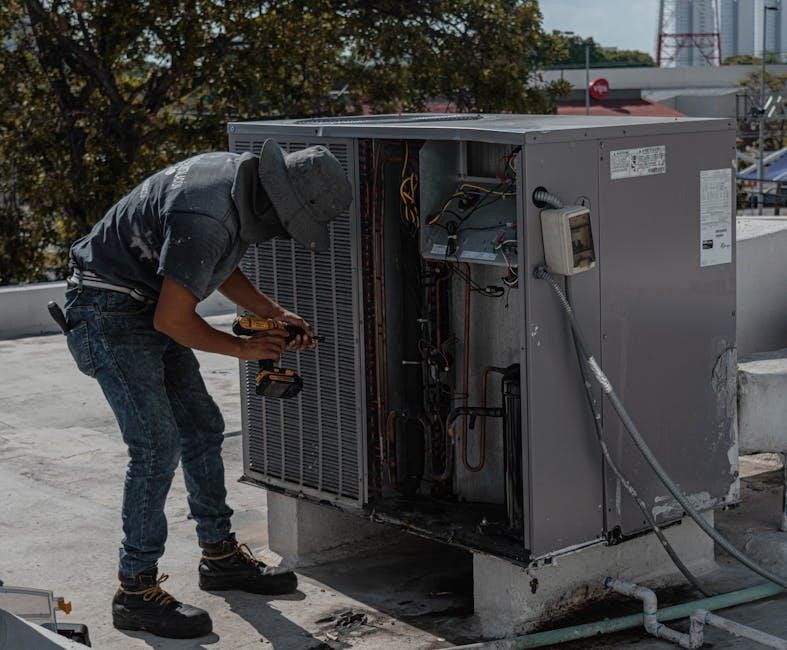
Gree air conditioners utilize refrigerant for cooling‚ a substance requiring careful handling. Under no circumstances should you attempt to repair or service the refrigerant circuit yourself. Any work involving refrigerant must be performed by a qualified and licensed HVAC technician.
Refrigerant leaks can be harmful to the environment and your health. If you suspect a leak – indicated by reduced cooling performance or a hissing sound – immediately power off the unit and contact Gree support or a professional technician. Do not attempt to locate or stop the leak yourself. Improper handling of refrigerant can void your warranty and pose significant safety risks. Always adhere to local regulations regarding refrigerant disposal and recycling.
Warranty Information
Gree provides warranty coverage details for its air conditioners; claims require proof of purchase. Contact Gree support at 400-836-5315 or via their website for assistance.
Warranty Coverage Details
Gree air conditioner warranties vary depending on the specific model and components. Typically‚ the compressor—the heart of the cooling system—receives the longest coverage period‚ often spanning several years. Other parts‚ like fans‚ motors‚ and electronic controls‚ usually have a shorter warranty duration‚ typically one year from the date of purchase.
Warranty coverage generally includes defects in materials and workmanship under normal use. It doesn’t cover issues arising from improper installation‚ lack of maintenance (like cleaning filters)‚ misuse‚ accidents‚ or natural disasters. To maintain warranty validity‚ it’s essential to adhere to the recommended maintenance schedule outlined in the owner’s manual. Keep your purchase receipt or other proof of purchase readily available‚ as it’s required when submitting a warranty claim.

Specific terms and conditions are detailed in the warranty document included with your Gree unit‚ so carefully review it to understand your rights and responsibilities.
How to Claim Warranty
To initiate a warranty claim for your Gree air conditioner‚ first‚ gather your proof of purchase (receipt or invoice) and the unit’s model and serial number. You can locate these details on the appliance itself or in your owner’s manual. Gree provides a nationwide customer service hotline – 400-836-5315 – available 24/7 for assistance.
Alternatively‚ you can submit a service request online through the Gree official website (www.gree.com.cn) by navigating to their service center. Complete the online form with accurate information about the issue‚ your contact details‚ and the appliance’s specifics. Be prepared to describe the problem clearly and provide any relevant error codes displayed by the unit.
Gree will then assign a qualified technician to diagnose the problem. Remember to retain all documentation related to your claim‚ including service reports and communication records.
Contacting Gree Support
Gree offers comprehensive customer support to assist with any questions or concerns regarding your air conditioner. For immediate assistance‚ you can reach their nationwide customer service hotline at 400-836-5315. This line is staffed 24 hours a day‚ 365 days a year‚ ensuring support is always available.
For online support and service requests‚ visit the official Gree website at www.gree.com.cn. Navigate to the service center section to submit an after-sales service application. This allows you to detail the issue and provide necessary appliance information‚ including the model and serial number‚ found in your owner’s manual.
Additionally‚ exploring the website may provide access to FAQs‚ troubleshooting guides‚ and downloadable resources to help resolve common issues independently. Keep your model number handy when contacting support for faster service.